Prerequisites:
- A working GitHub pages website.
- Obsidian installed on your computer.
How To:
- Navigate to the directory that your blog stores its
.mdor.mdxfiles in (the content), and note the directories path to be used later. This may be something like/Users/< user >/Documents/GitHub/< user >.github.io/src/content/blog. - Open Obsidian and select
File > Open Vaultfrom the menu bar. - Select the “Open Folder as Vault” button from the menu that appeared.
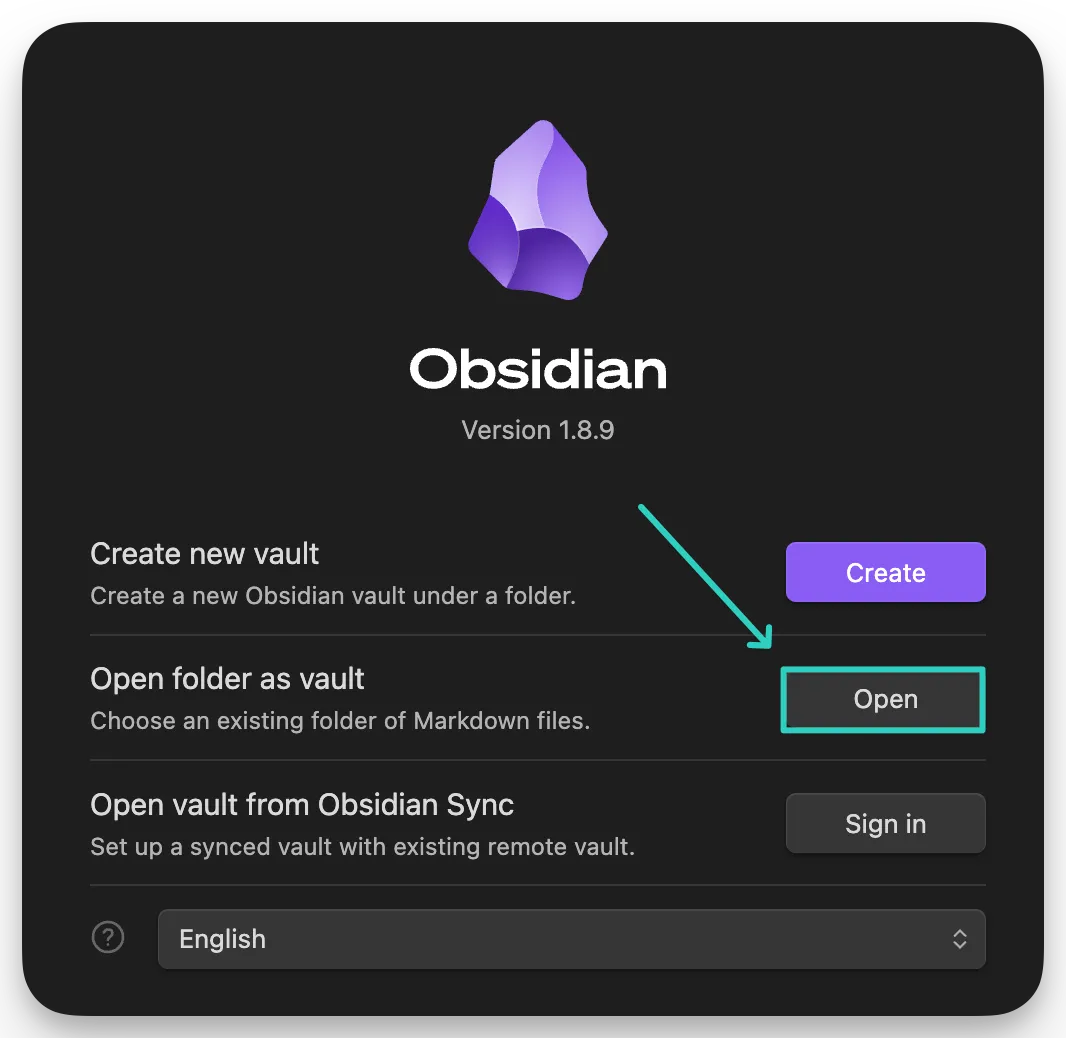
- Select the folder full of your markdown files. This will create a new Vault.
- Open a file up and start editing! Feel free to use whatever Git tooling you’d like:
- GitHub Desktop
- Git CLI
- IDE Extension
- Etc.
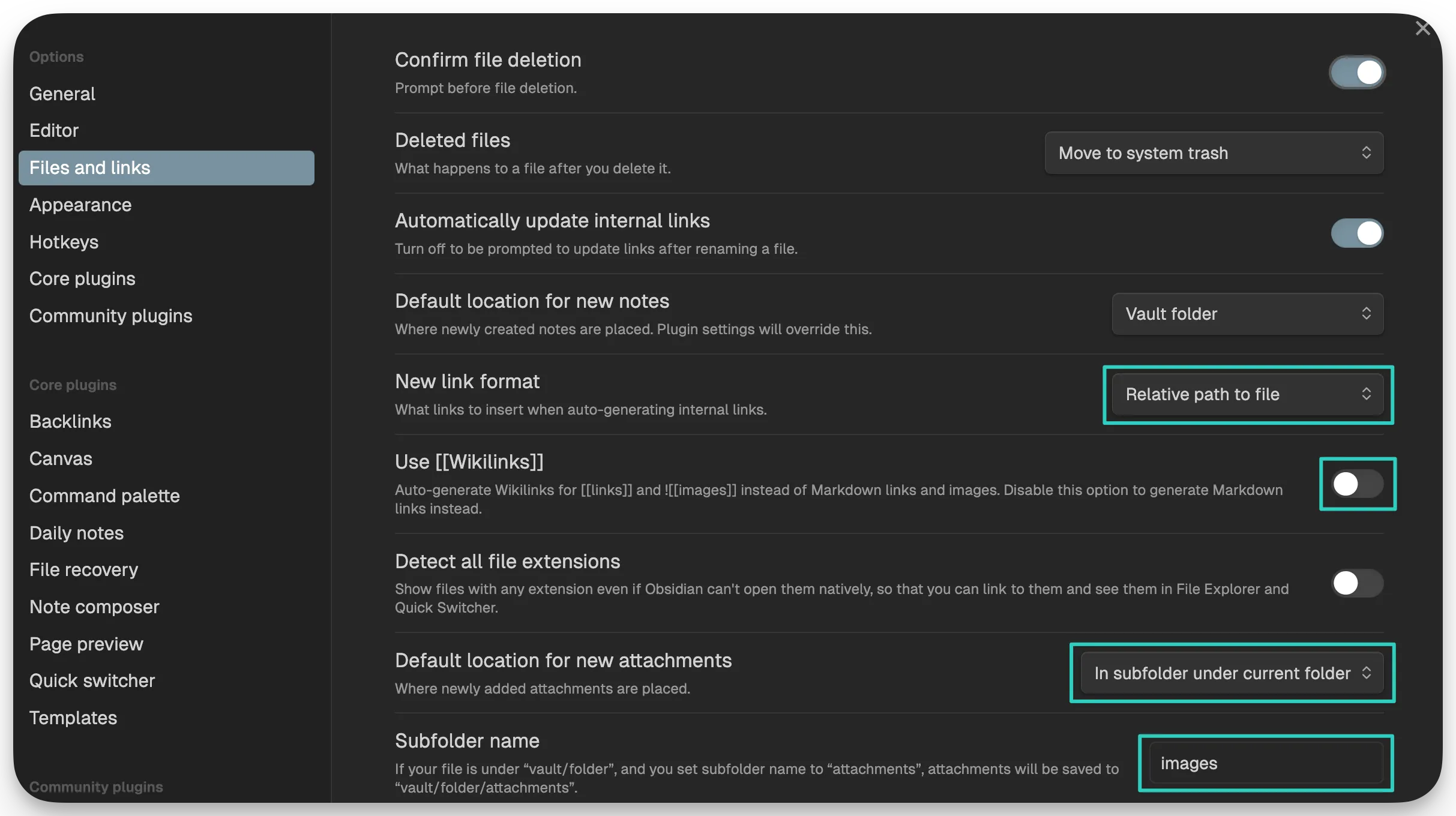
Tip: Obsidian uses wiki-links by default. This doesn’t work (at least for me) out-of-the-box with my Astro site. Turn off the usage of wiki-links and it will default to using the standard markdown image insertion. I’ve highlighted some other changes that I use for to make everything a little easier.

This is a collection of my cybersecurity notes & projects.
I graduated from Dakota State University with a MS in Cyber Defense & BS in Cyber Operations. Since then I've worked as a Malware Analyst with the U.S. Army Cyber Command, and am now a Web Application Security Consultant.
I'm a big fan of open security standards for applications and workflow automation when it comes to security testing. The easier it is to identify and replicate, the more secure everyone's apps can be! My other writings and projects are scattered across the web, but can be found in the links page.
Contact me: